


Run the door
The scanner is the heart of the app. Point the camera at a ticket and get an answer you can read from across the gate.
- A full-screen verdict for every scan: admitted, already in or refused, each with its own colour, sound and vibration
- Look a guest up by name, phone number or order number when there is no QR to scan
- Undo a check-in made by mistake, if your role allows it
- A live entry monitor with door counts, a feed of recent entries and numbers for each ticket type
- Give door staff scanner-only access to one event, by email, without giving them your organization
- Run experiences too? Booking QR codes scan in the same place
Keeps scanning when the signal drops
Gates are where the network is worst, so the door does not depend on it.
- Download the guest list to the phone before the doors open
- Keep scanning with no connection: scans are checked against that list and queue on the phone
- Queued scans upload when you are back online, and any ticket used twice is shown to you in a conflicts list
- Link several phones at the gate over a hotspot or a travel router, with no internet, so they share one door log (event tickets only)
Each phone needs the guest list downloaded once while online. An iPhone hotspot takes only a few phones, so use a travel router or an Android hotspot for a bigger team.
The rest of your event, in your pocket
Studio works on the same account and the same events as the web dashboard.
Sales and money
Revenue, orders and abandoned carts for each event, refunds you can approve or reject, and payout statements you can share.
Attendees
Search and filter the list, resend passes, fix contact details, export to CSV and follow ticket transfers.
Build and edit events
Create an event or start from an AI draft. Edit tickets, add-ons, coupons, registration fields, multi-day schedules, seat plans and your event page.
Analytics
Sales, traffic and attendee numbers for each event, and a view that compares your events side by side.
Team and roles
Invite your team and give each person a role, so the person on the door sees the door and not the revenue.
Inbox and updates
Chat with attendees from one inbox across every event, and send updates by email or SMS.
Also in the app: a shared task board with assignees, due dates and checklists, and push notifications on your phone.
A look inside
Real screens from the app, with demo data.
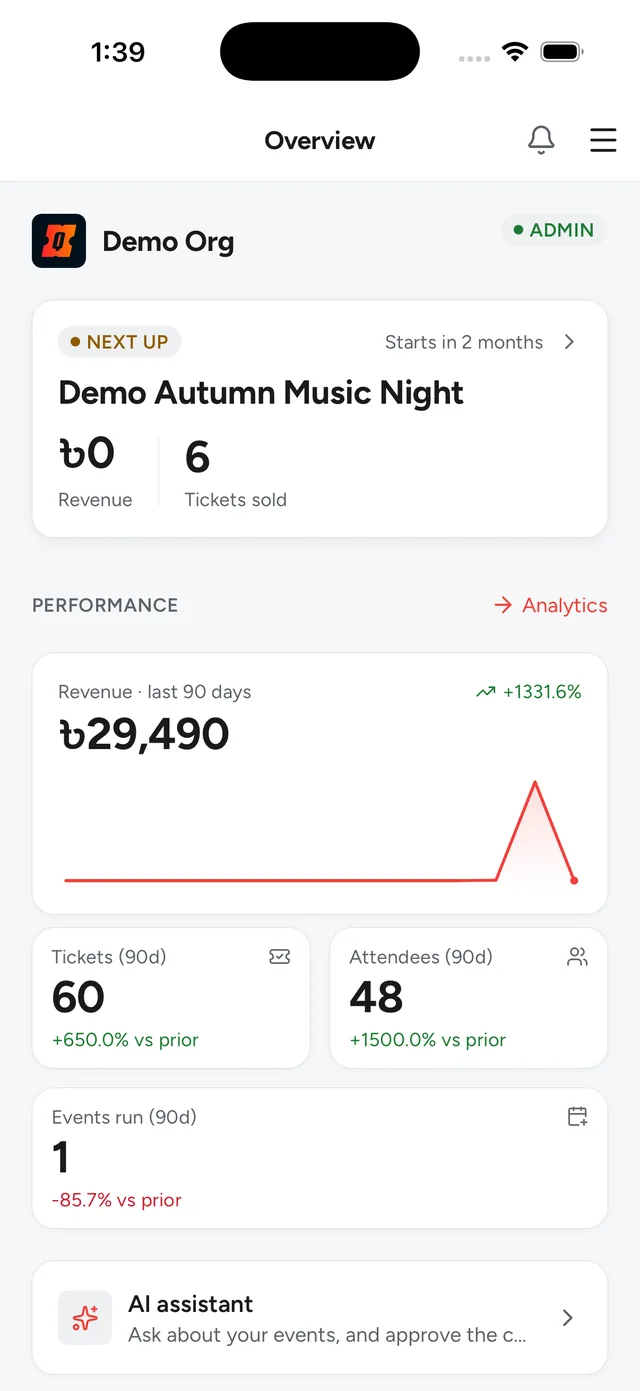
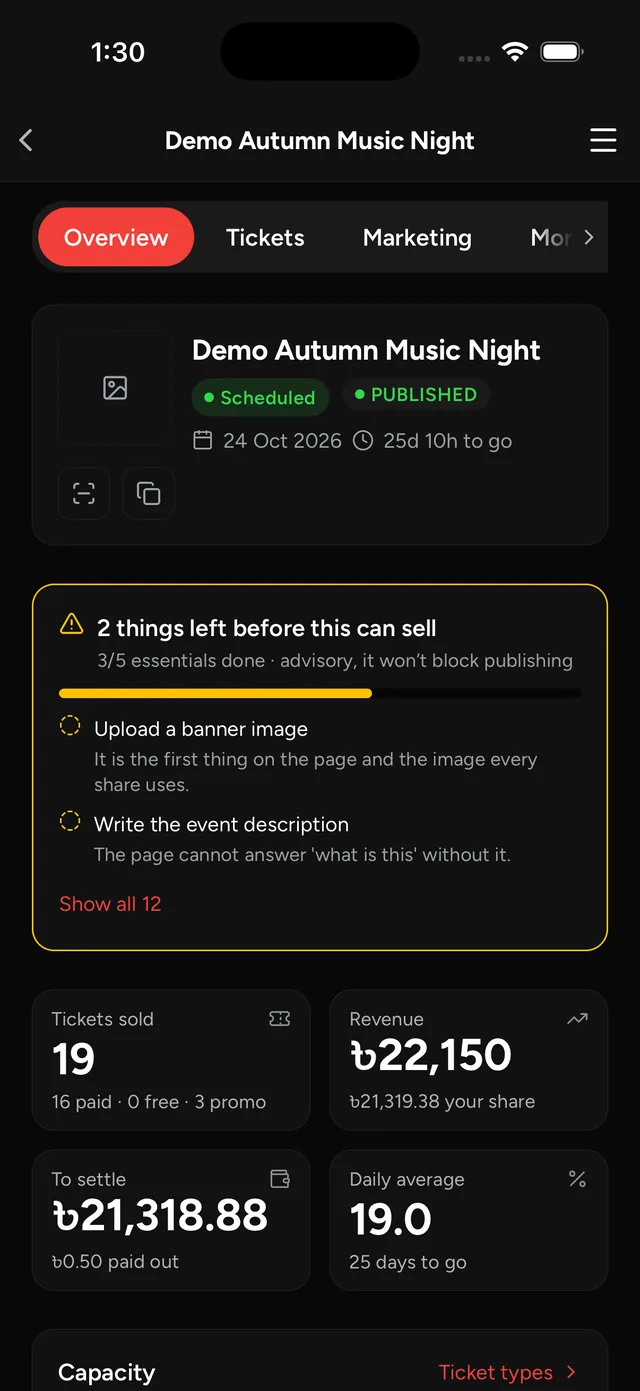
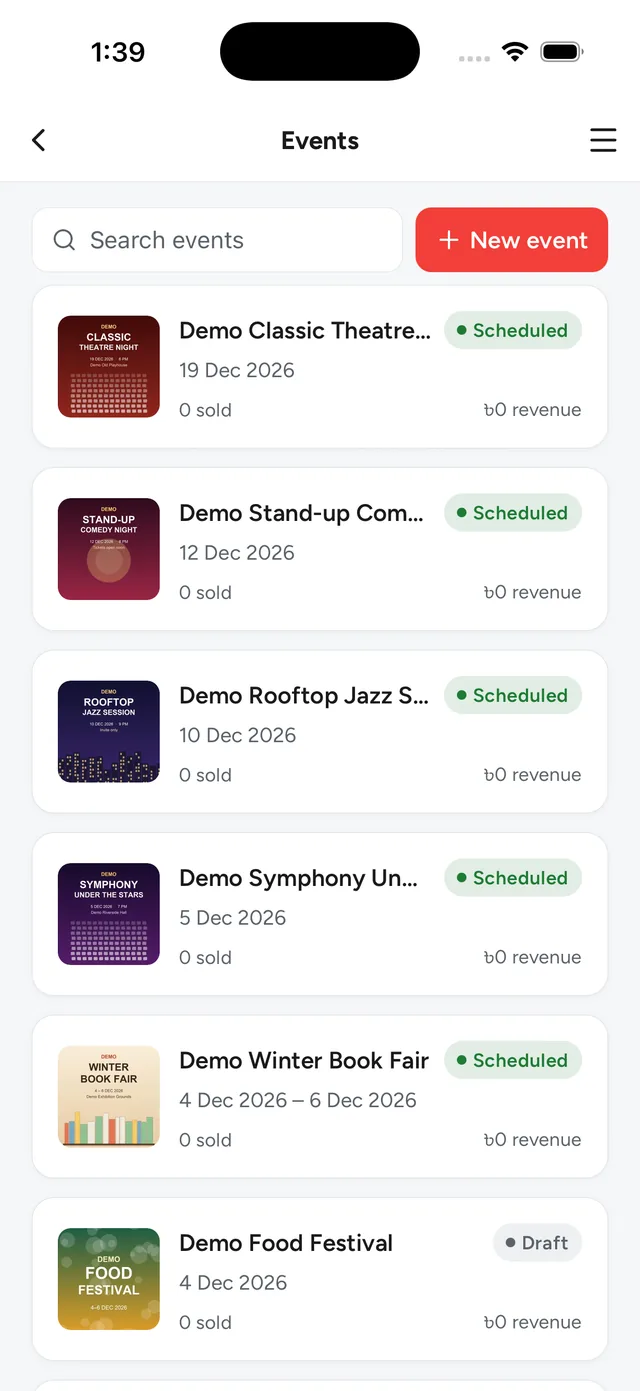
iPhone and Android
Built for phones, for the hours when you are on your feet.
English, Bangla and Thai
It follows your phone's language, or pick one in your account.
Light and dark
Match your phone, or choose one.
Your Quicket account
Sign in with email, a sign-in code, Google or Apple. Your roles decide what each person can see.
Common questions
Does scanning work without internet?
Yes, once the guest list is on the phone. Download it while you are online, before the doors open. Scans then queue on the phone and sync when the connection returns, and any conflicts are shown to you.
Who is it for?
Organizers, their teams and their door staff. It is not the box office: selling tickets at a counter is what Quicket POS does. If you are buying tickets, the Quicket app is the one you want.
Do I need Studio to run an event?
No. Everything it does is in the web organizer dashboard too, which works in any browser. Studio is for the hours when you are away from a desk.
Get Quicket Studio
Everything Studio does is also in the web organizer dashboard, which works in any browser today.
Prefer a laptop? Host on Quicket from the web