
Who can get a refund
Refunds are available only when an event opens them, for example when a show is postponed or cancelled. Quicket announces it, and your order in the app shows when refunds open and when they close. Requests are accepted only while that window is open.
- The event has opened refunds and the refund window is still open.
- No ticket on the order has been used (scanned at the event).
- One request per order, and it covers the whole order. You can't refund some tickets and keep others.
- Refunds are requested in the Quicket app for iOS and Android, signed in to the account you bought the tickets with.
Step by step
Step 1: Open your Profile
In the Quicket app, tap Profile in the bottom bar.
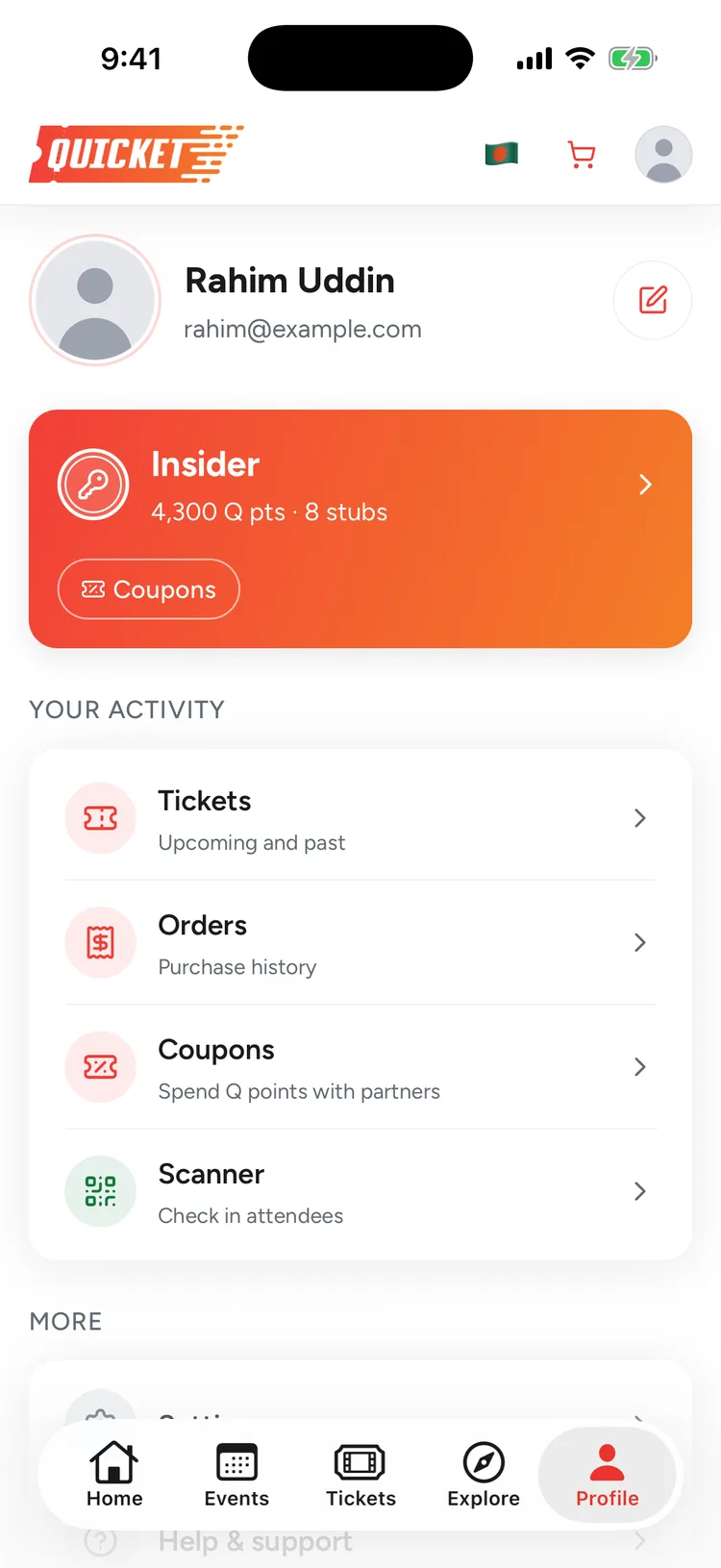
Step 2: Go to Orders
Tap Orders to see everything you've bought, then tap the order for the event that has opened refunds.
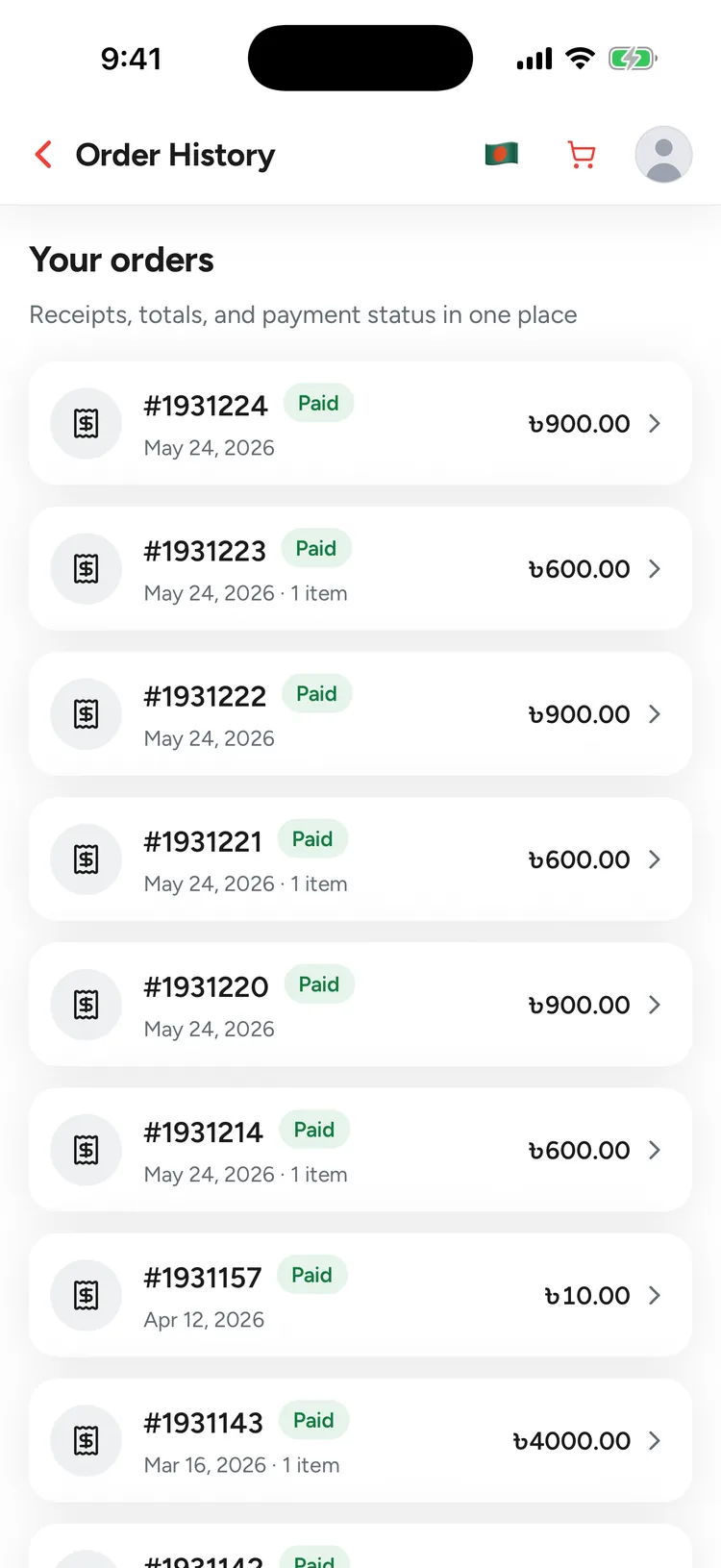
Step 3: Tap Apply for refund
If the order is eligible, it shows a Refund available block with the refund rate and the last day to apply. Tap Apply for refund. If refunds aren't open yet, the order tells you when they open.
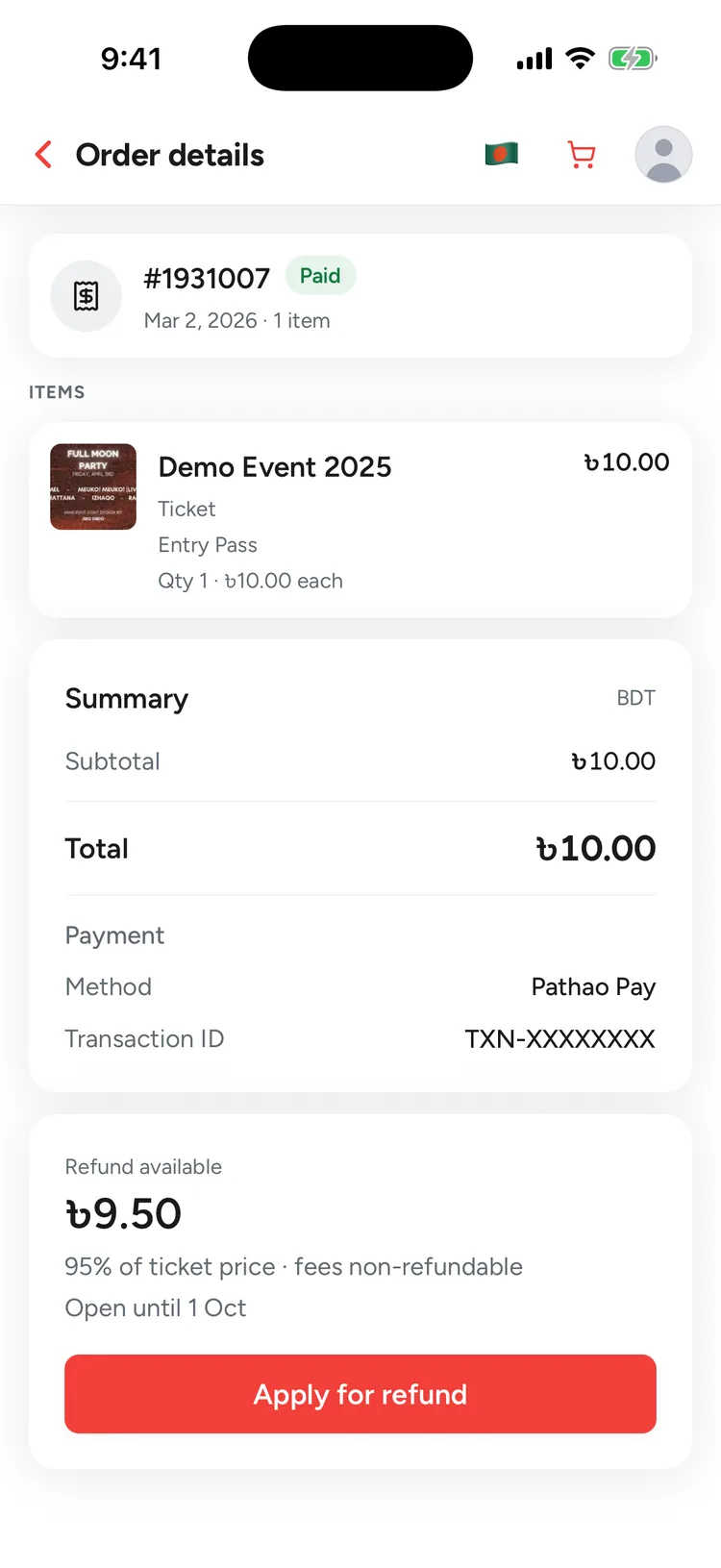
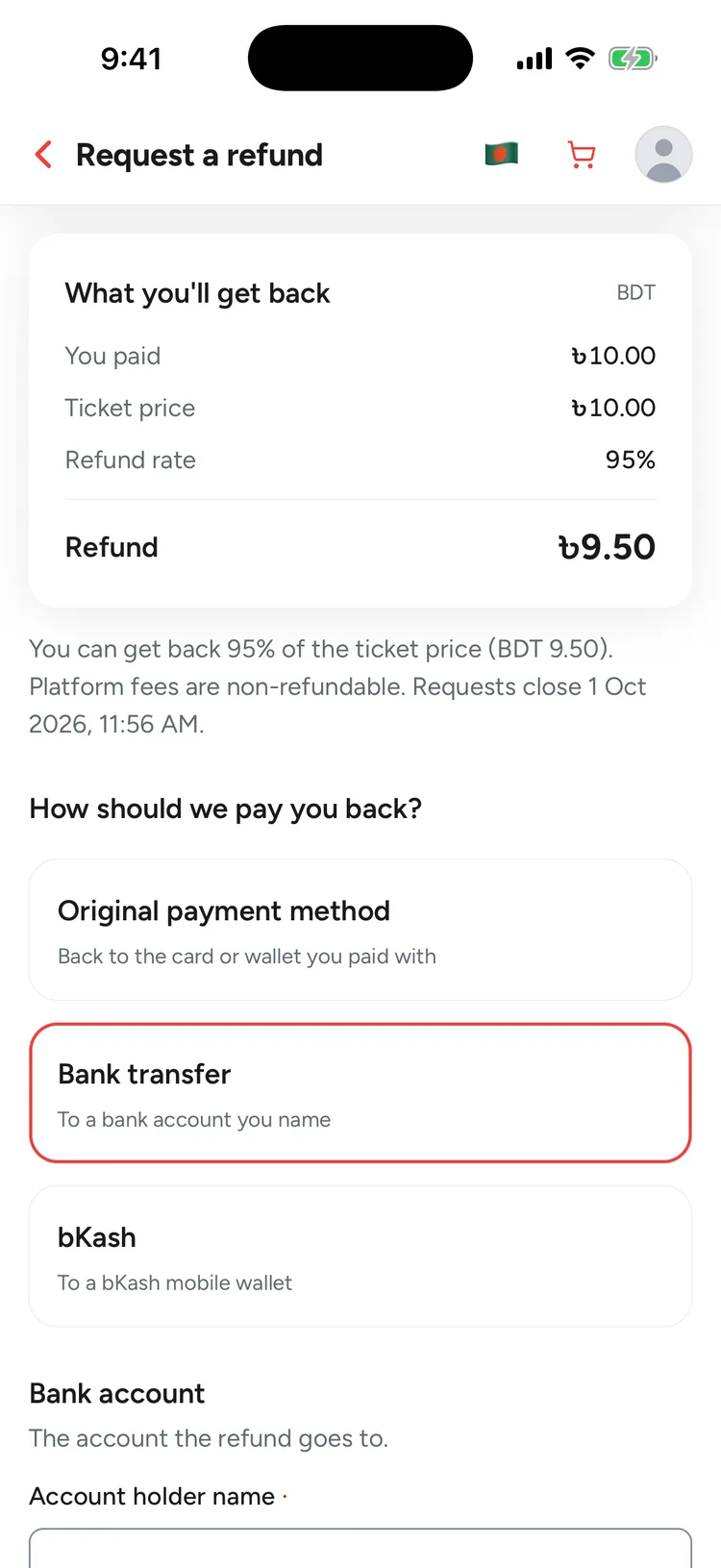
Step 4: Check what you'll get back
The summary shows what you paid, the ticket price, the refund rate, any fees that aren't refunded and the exact refund amount. That amount is fixed when you apply.
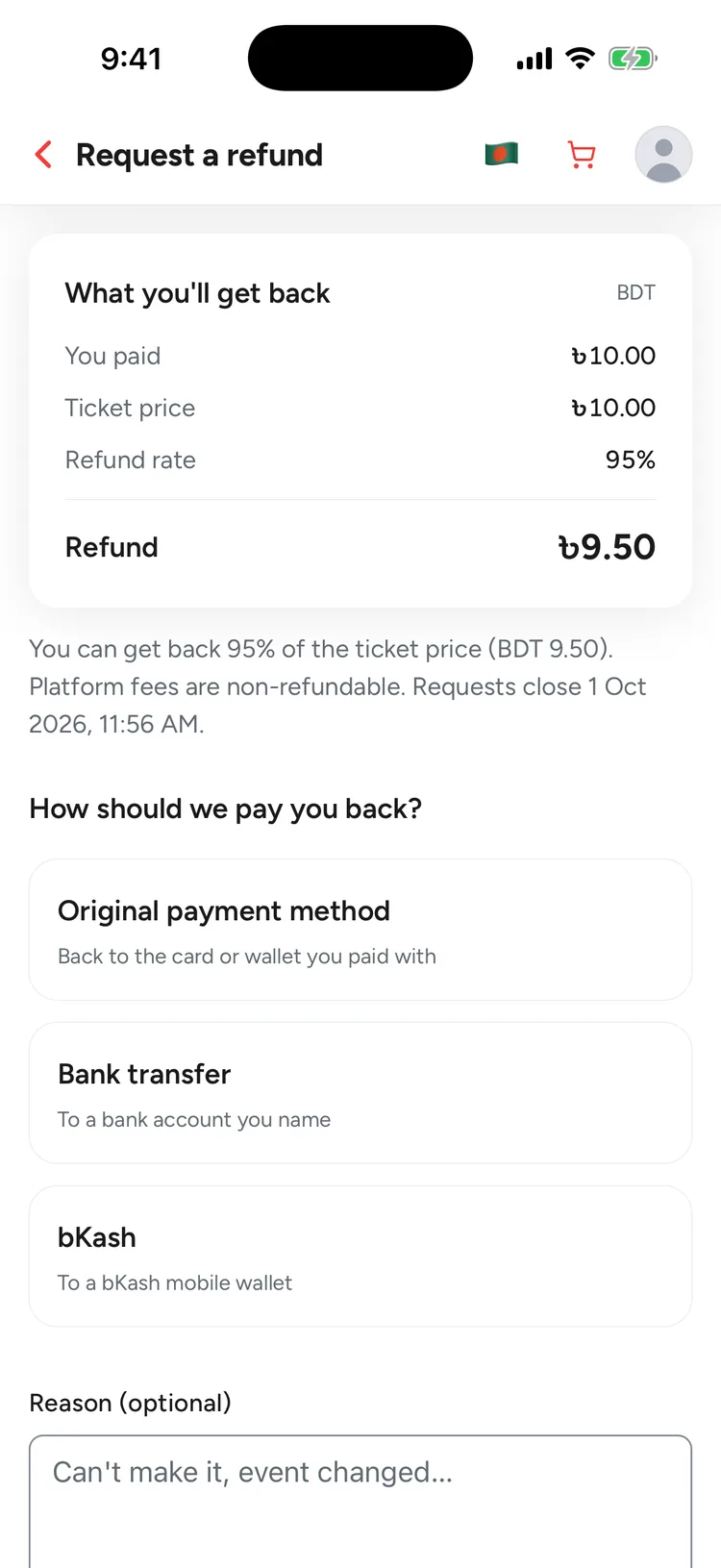
Step 5: Choose how you're paid
Pick your original payment method, a bank transfer, or bKash (for orders paid in BDT). You can add a reason if you like; it's optional.
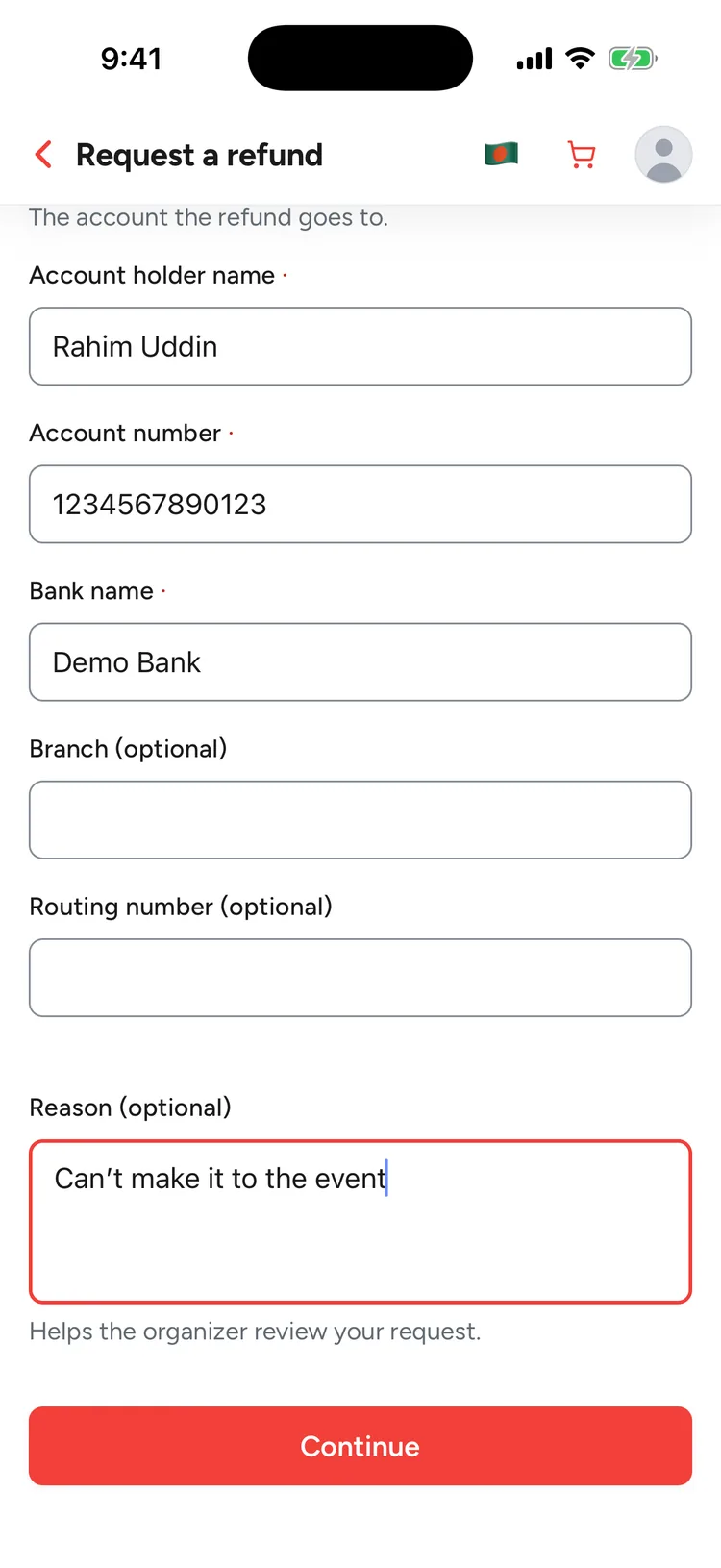
Step 6: Enter your payout details
For a bank transfer, enter the account holder name, account number and bank name; branch and routing number are optional. For bKash, enter your bKash number. The original payment method needs no details. Then tap Continue.
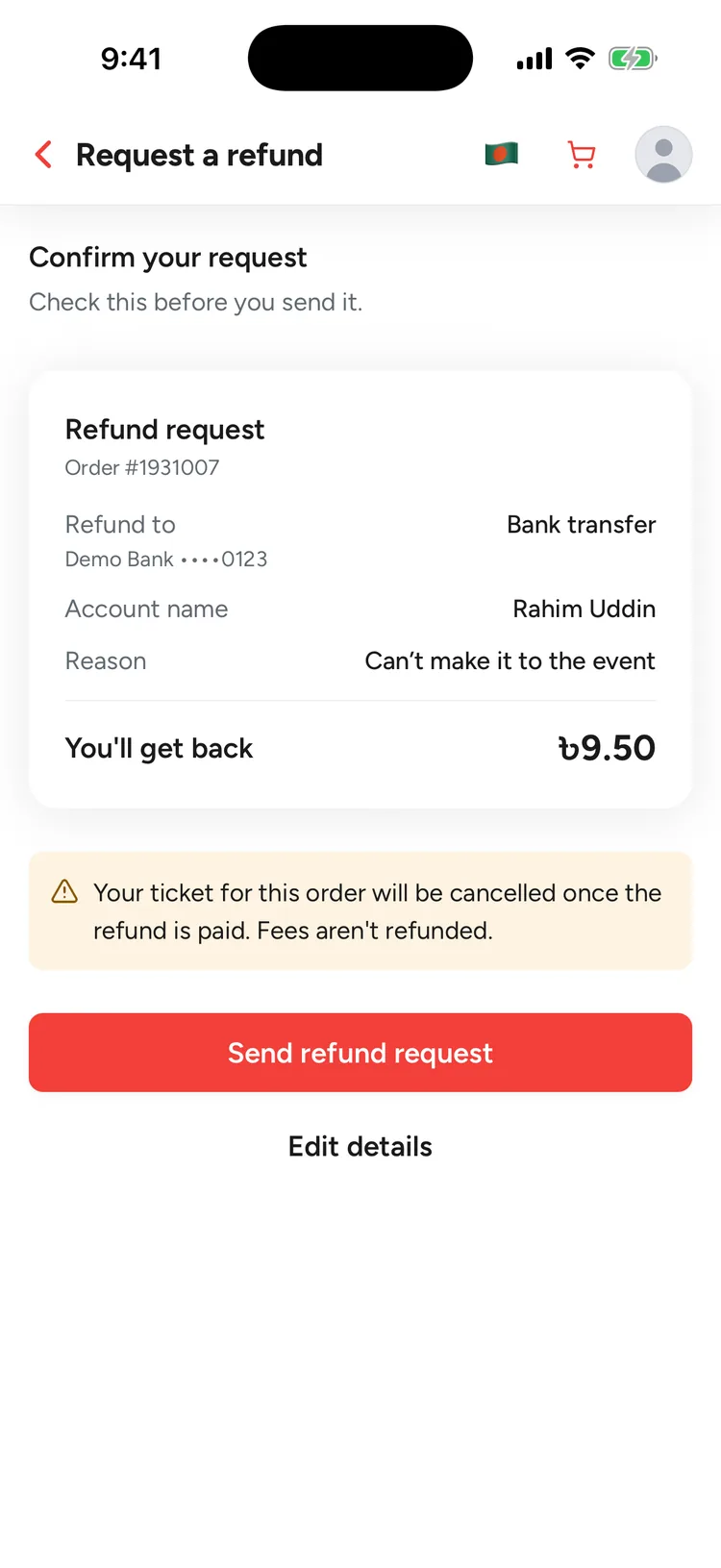
Step 7: Confirm your request
Check where the money will be paid and how much you'll get back, then tap Send refund request. Tap Edit details to change anything first.
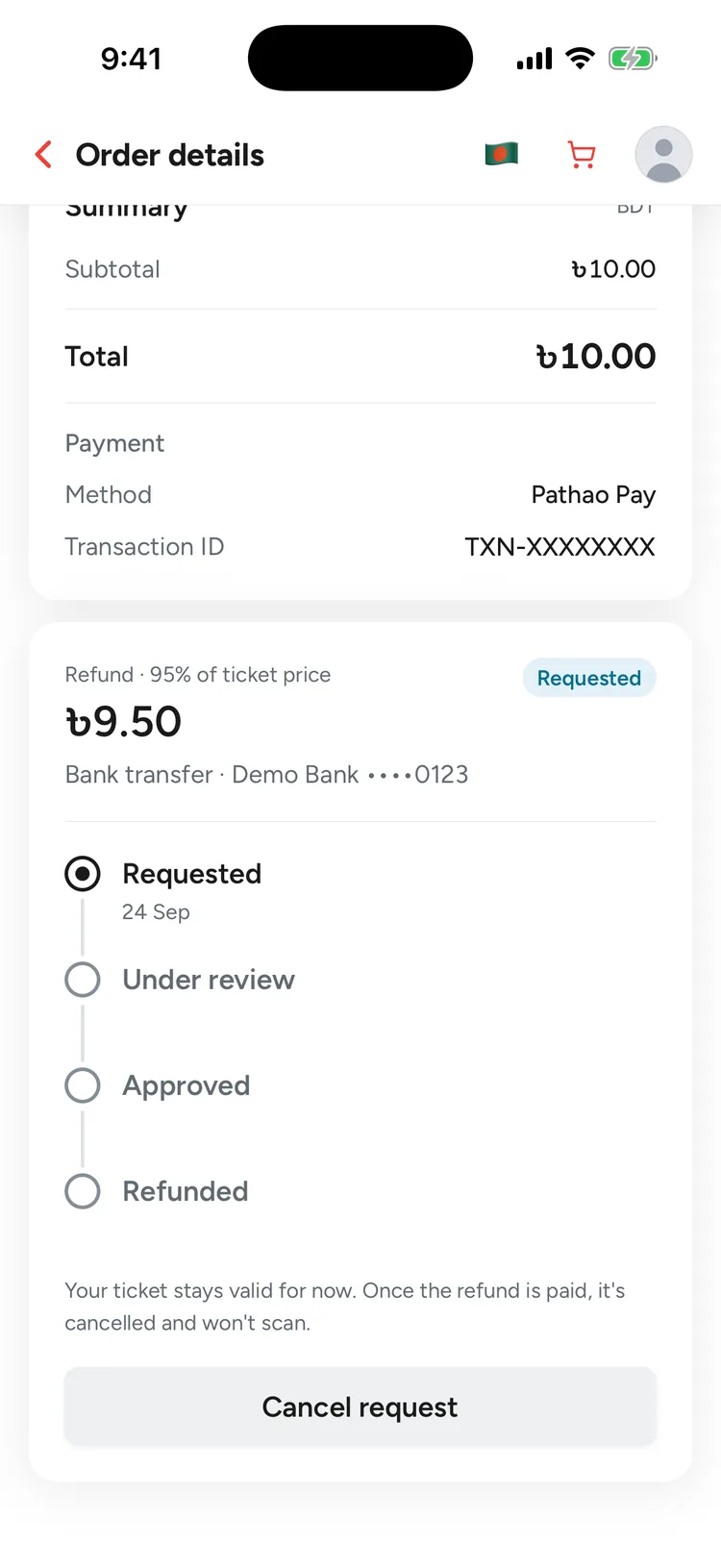
Step 8: Track your request
The order now shows your refund as Requested. You'll get a notification and an email each time it moves. While it's still Requested, you can tap Cancel request.
Step 9: Get your refund
Once the Quicket team has paid you, the order shows Refunded with the date and a payout reference. The tickets on that order are cancelled.
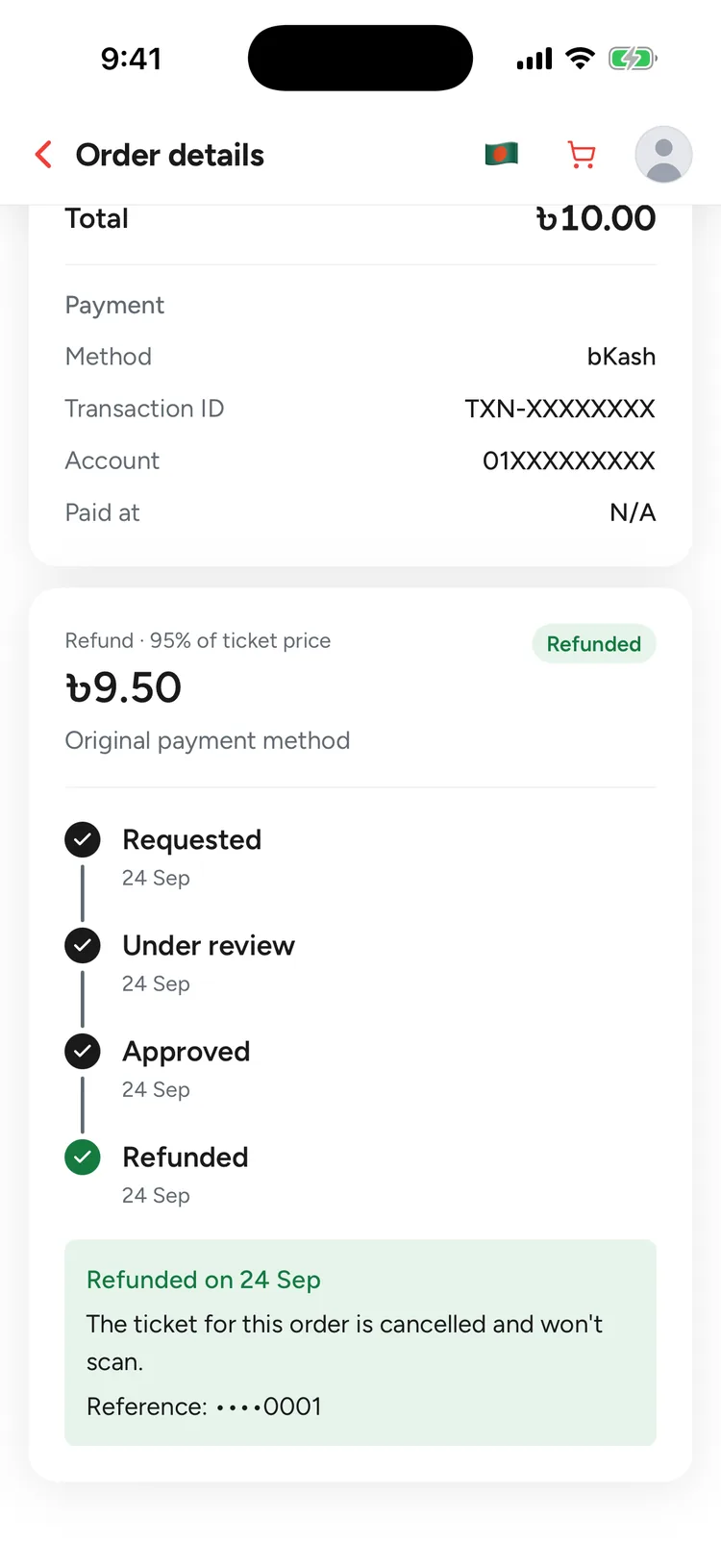
What happens next
Your request moves through these statuses. You'll get a notification and an email at each step, and your tickets stay valid while it's being reviewed.
Requested
We've received your request. You can still cancel it from the order.
Under review
The Quicket team is checking your request. It can no longer be cancelled.
Approved
Your refund is approved and waiting to be paid to the method you chose.
Refunded
The money has been sent and the order shows a payout reference. The tickets on that order are cancelled and won't scan at the gate.
Rejected
The order shows the reason. A rejection is final for that order and your tickets stay valid. Contact support if you think it's a mistake.
Refund questions
How much will I get back?
A percentage of the ticket price set for that event, for example 95%. Platform fees are non-refundable and add-ons aren't refunded. The app shows the exact amount before you confirm, and it's fixed when you apply.
How long does it take?
The Quicket team reviews each request and pays refunds manually to the method you chose, usually within 7 business days. You'll get a notification and an email at each step, and a payout reference once it's paid.
Can I cancel my request?
Yes, while it's still Requested: open the order and tap Cancel request. You can apply again later while the refund window is open.
What if my request is rejected?
The order shows the reason. A rejection is final for that order and your tickets stay valid. If you think it's a mistake, contact our support team.
What happens to my tickets?
They stay valid while your request is reviewed. Once the refund is paid, every ticket on that order is cancelled and won't scan at the gate.
Some tickets on my order were already scanned. Can I get a refund?
No. Once a ticket on an order has been used at the event, that order can't be refunded.
Can I refund only some of my tickets?
No. There's one request per order and it covers the whole order.
I don't see Apply for refund on my order.
The button appears only when the event has opened refunds and your order is eligible. The order shows when refunds open or when the window closed. If the event was cancelled and you still can't apply, contact support.
Need help?
If something about your refund doesn't look right, our support team can help.
Get the Quicket app
Refunds, orders and tickets are all in the app, on iOS and Android.